
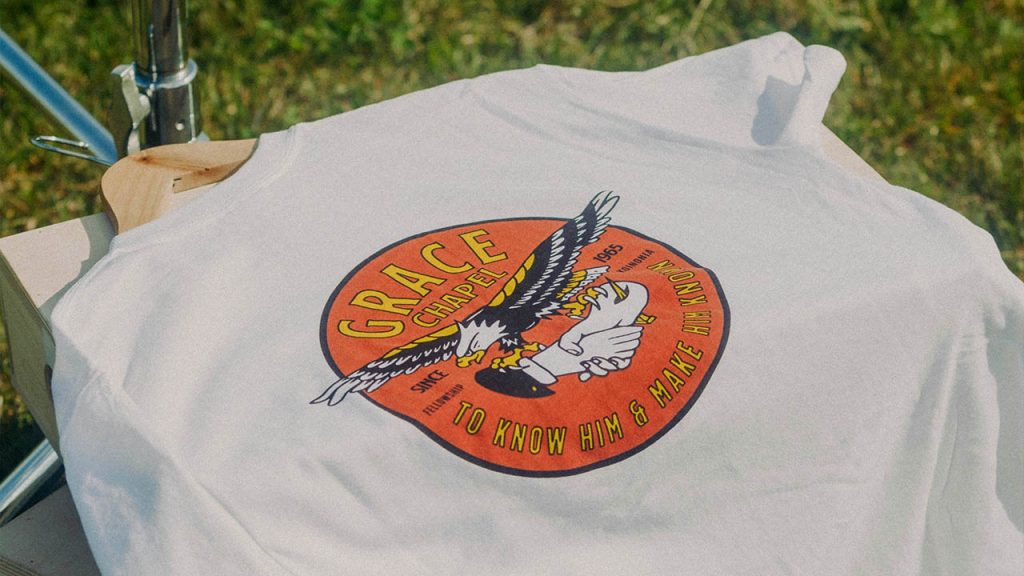
Custom apparel printing is changing fast.One of the sought after method is DTF (Direct-to-Film) printing. If you are a small business owner, a print shop, or are just curious about how it works, you’ve come to the right place. We will also show how HueDrift’s DTF printers make it simpler, faster and more profitable.
1. Introduction: What Is DTF Printing?
DTF stands for “Direct-to-Film.” In simple words: you print your design on a special film with textile inks (including white ink). Then you put hot-melt adhesive powder on it. After that, you use heat to transfer the print to the fabric you choose. The result? Bright, long-lasting prints on cotton, polyester, blends — dark or light.
For apparel brands or print-on-demand services, DTF gives you lots of flexibility. You don’t need to worry about pre-treating fabric. You also don’t have to stick to just one kind of fabric or color. With the right equipment, you can make custom clothes that are high quality and cost less.
2. The Step-by-Step DTF Printing Process
Here’s how the DTF workflow works. We will focus on HueDrift’s DTF printers and show how each step works for small businesses.
Step 1: Design Preparation
First, get your artwork ready. Maybe you made it in Adobe Photoshop, Illustrator or RIP software. Make sure to set up the file correctly: flip the artwork (because you print it on film), add CMYK + White ink layers (if you need them), and adjust resolution and color settings for textile printing.
If you use a machine like HueDrift One, HueDrift Pro or HueDrift Pro Max, the interface and driver will make it easier to line up the design and manage white ink.
Step 2: Film Printing
Next, put special PET film (or other DTF film) into the printer. Then print your design: first the color layers, then a white layer underneath (especially for dark clothes). The printer puts down colored ink and white ink in the right order. According to HueDrift’s product page:
“Print the design on DTF film using CMYK + White ink.”
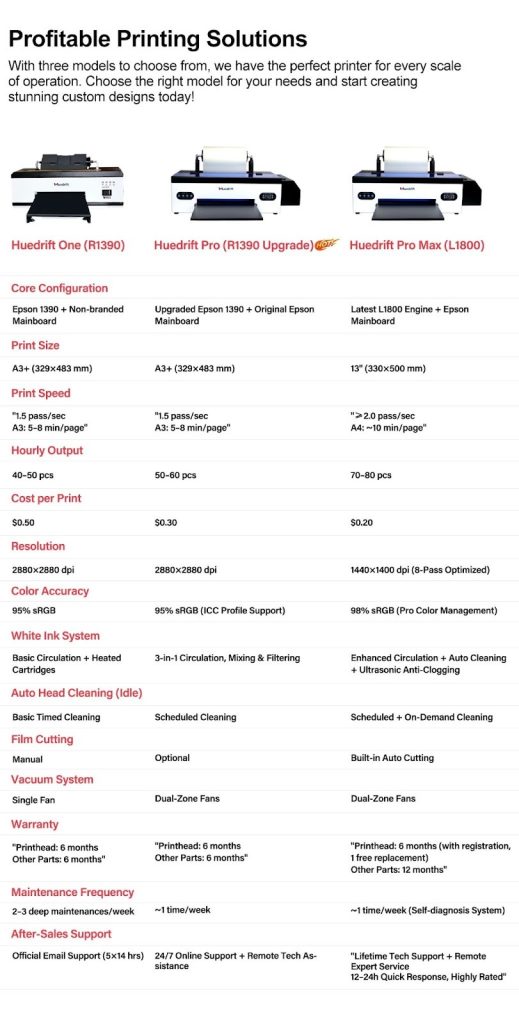
HueDrift has different printers — from entry-level (One) to advanced (Pro/Pro Max). You can pick the size and speed that fits your business.
Step 3: Apply Adhesive Powder
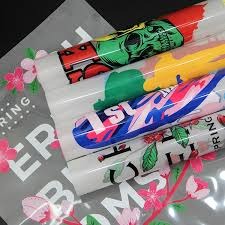
Immediately after printing (while the ink still wet), apply hot-melt adhesive powder uniformly on printed film. This adhesive is what makes the print stick to the fabric when you heat press it.
HueDrift’s overview says:
“Apply hot-melt adhesive powder to the wet ink.”
This step is very important for making the print last and resist washing. If you spread the powder unevenly, the print might not stick well, peel off or fade.
Step 4: Curing the Powder
After putting on the powder, you need to cure the film (that means melting the adhesive powder) before transferring. Usually, you use a conveyor oven. Or you can use a heat press to pre-heat it (no pressure) — this melts the powder and locks the adhesive into the ink layer. HueDrift describes it as:
“Cure the powder with heat.”
So if you have a good machine with appropriate tools (or flow,) this will be a fast step. You can do that again and again and again and it’s reliable. That’s less lost time and less bad prints.
Step 5: Transfer to Fabric
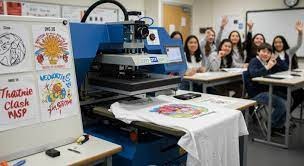
Now you position the film (print-side down)The clothes may be made of cotton, polyester or a mix of both, and in either light or dark colour. Then press with a heat press (typically at 160-170°C) for a predetermined amount of time (such as 15-20 seconds) applying medium pressure. His makes the printed film stick to the fabric. The adhesive layer mixes with the fabric’s fibers.
HueDrift’s website says simply:
“Press the film onto the garment with a heat press.”
With a HueDrift printer, the workflow is optimized. It reduces downtime, makes it easy to line up prints, and keeps results consistent every time you print.
Step 6: Peel and Finish
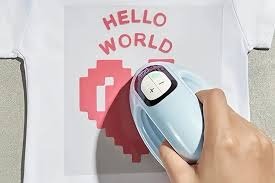
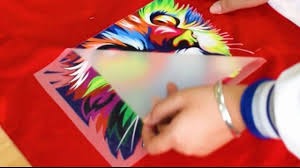
After pressing, peel off the film. You might peel it while it’s still warm (hot peel) or after it cools down (cold peel) — it depends on the type of film you use. Then you can press it again for a few seconds (this is called a “finish press”). This makes the feel better and helps the print last longer .
in the wash. HueDrift’s website says:
“Peel the film and finish with a second press for durability.”
The result? A bright, long-lasting print that feels soft. It will stay good even after many washes.
3. How DTF Printing Differs From Other Methods
It helps to know why DTF is getting popular — and why HueDrift’s printers are a smart choice.
Compared to DTG (Direct-to-Garment)
DTG often needs you to pre-treat fabric (especially for dark clothes). It also only works with certain fabrics. Sometimes it’s slow for small batches. DTF avoids many of these problems. It works easily on dark or light fabrics. It can also cost less.
Compared to Sublimation
Sublimation only works well on polyester fabrics (and light-colored ones). DTF works on cotton, polyester, blends — dark or light. This gives you much more flexibility for apparel markets.
Compared to Screen Printing
Screen printing is good for large batches of the same design. But it costs a lot to set up. It’s not flexible for small batches or custom work. DTF is more flexible. It costs less to set up. It’s a good fit for print-on-demand or small batches.
4. Advantages of DTF Printing (and Why HueDrift)
Here are the key benefits. We will also tell you why choosing a HueDrift printer matters.
- Bright, detailed colors: DTF can make gradients, fine lines and deep colors. It also supports white ink. HueDrift says their printers make high-quality prints.
- Works on almost any fabric: Whether you have cotton hoodies, polyester shirts, blends — light or dark — DTF gives you flexibility. HueDrift clearly says their printers “work on cotton, polyester, blends, and more.”
- Durable and washable: Good DTF transfers can last 30-50+ washes if you apply them right and take care of the clothes. HueDrift mentions this durability on their site.
- Efficient and cheap for small batches: You don’t need much setup. You can handle custom orders, print-on-demand and small batches. This is perfect for new businesses or growing ones. If your business is ready to get bigger, HueDrift has different models (One, Pro, Pro Max). You can start small and upgrade later.
- Made for creatives and business owners: HueDrift says their machines are easy for beginners (like HueDrift One). They also have high-output models (Pro/Pro Max) so you can grow your business.
5. Common Questions & Troubleshooting Tips
To cover everything, we will answer some key questions. We will also share tips to get the best results.
Why is my DTF print not sticking or peeling?
Make sure you spread the adhesive powder evenly. Check that the film was cured properly. Also, make sure your heat press has the right temperature, time and pressure. Using good supplies (ink, film, powder) matters too — HueDrift’s supplies are made to work with their printers.
Can I use DTF on the cotton T-shirts I already have?
Yes — DTF works for cotton, blends and polyester. With a HueDrift printer, you don’t need special fabrics. This makes your inventory simpler. It also lets you offer more kinds of fabrics.
What’s the difference between hot peel and cold peel films?
Some DTF films are made to be peeled right away while warm (hot peel). Others need to cool down first (cold peel). Your workflow and the film you choose will decide which method to use. HueDrift’s instructions say you should follow the film maker’s advice and adjust your heat press settings accordingly.
How many washes will the print last?
With good technique and equipment, many DTF transfers last 30-50+ washes. HueDrift mentions this range on their site. To make it last longer: wash the clothes inside out with cold water. Don’t use bleach. Don’t dry them with high heat.
6. Conclusion: Why DTF Is the Future of Custom Printing
Apparel brands want more custom designs, faster delivery and more fabric options. DTF printing stands out because of this. It gives you the flexibility to make dark or light clothes, blends and small batches. At the same time, it keeps the quality and durability high.
With HueDrift’s printers — whether you start with HueDrift One or move up to HueDrift Pro or Pro Max — you’re choosing a system that helps your business grow. The starting cost is affordable. You get good support. The workflow is simple. This means you can spend less time worrying about equipment. You can spend more time making great prints.
Ready to try DTF printing for your business? Visit HueDrift’s DTF printer page today. Find the model that fits your business stage, budget and creative goals.
Ready to explore DTF printing for your business? Visit HueDrift’s DTF printer page today and discover the model that fits your stage, budget and creative ambitions.