
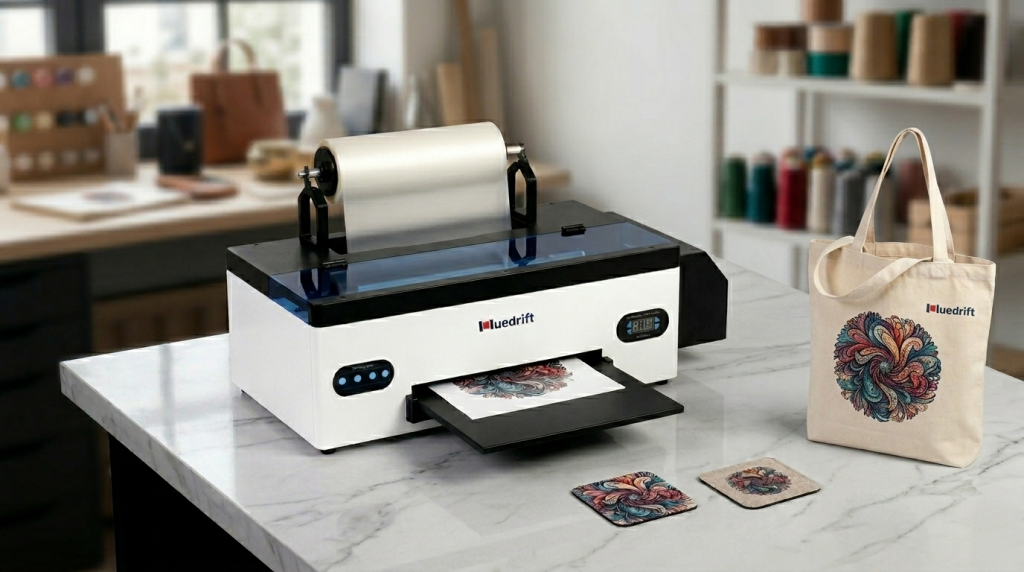
DTF printing delivers stunning color on cotton, polyester, and even dark fabrics — no pretreatment, soft hand feel, wash durability that holds up. Yet plenty of operators spend months fighting faded prints, cracking transfers, and clogged heads. The real culprit is almost never the design or the ink. It's two machines: your DTF printer and your curing oven. Get them right and every batch ships clean. Get them wrong and every day is damage control.
A lot of new operators plug in and start printing before they fully understand where each problem can enter the process. DTF has just four steps — but every single one hides a trap if your equipment isn't up to the job.
Four steps, but they're deeply connected. Uneven ink flow in step one shows up as banding. Under-cured powder in step three shows up as peeling on the first wash. The satisfying cold peel at the end is actually decided long before you ever touch the heat press.
Color inks are relatively forgiving. White ink is the difficult one. DTF white ink is loaded with titanium dioxide particles — dense, heavy, and happy to sink to the bottom of the ink line the moment circulation stops. Left idle for even a few hours, those settled particles clog print heads, create streaks in the white base layer, and wreck opacity on dark garments.
That's why an automatic white ink circulation system isn't a premium feature — it's the baseline requirement for any serious DTF printer. A quality machine runs a built-in peristaltic pump on a timer so the ink stays in constant, gentle motion. With a budget machine, you're the pump. And the moment you get busy and forget, the head pays for it.
Beyond circulation, here's what every professional DTF printer needs to have nailed down:
-
Automatic white ink circulation Runs every 8–10 minutes to keep titanium dioxide in suspension. This single feature eliminates the majority of white-layer banding complaints we see in the field.
-
Negative pressure control Keeps the ink path at a stable sub-atmospheric pressure, blocking air bubbles before they reach the nozzles. The result is consistent ink volume per drop across the entire print head — even during long production runs.
-
High-resolution print heads Sharp edges, smooth gradients, hair-fine detail. Resolution isn't just about image quality — it directly determines the complexity of orders you can confidently accept.
-
Broad film compatibility + professional RIP software Works with standard A3/A4 PET film from multiple suppliers without constant recalibration. Good RIP software lets you dial in white layer density precisely — thick enough to cover dark fabrics, thin enough to stay soft on light ones.
Here's a pattern we see constantly: an operator invests in a solid printer, then tries to save money by using a heat press for curing. It seems logical — a heat press gets hot, hot melts powder, done. Except it doesn't work that way. Contact heat is inherently uneven. The center runs hotter than the edges. Powder at the margins never fully melts. The transfer looks fine coming off the film. Then it lifts on the first wash.
A dedicated DTF curing oven solves this with convection airflow — hot air circulates around the entire sheet, reaching every corner at the same temperature simultaneously. Every powder particle melts together. The adhesive layer bonds uniformly to the ink. Transfers that go through a proper oven survive 20+ washes with color and edges completely intact.
Choosing the right oven comes down to your daily volume:
Compact flat-bed oven
Handles A3 sheets easily. Fast warm-up, small footprint, fits on a workbench. Ideal for 50–100 pieces per day at a lower entry cost.
Conveyor curing oven
Continuous feed, batch curing, 3–5× the throughput of a flat-bed. Pays for itself quickly when daily volume pushes past 300 pieces.
Even with the right equipment, small maintenance lapses can undo everything. These are the three issues we help clients resolve most often — knowing them in advance puts you months ahead of the learning curve.
White ink sedimentation & banding
Gaps or horizontal streaks in the white base layer after the machine sits idle for 48+ hours. Pigment has settled and partially blocked the nozzles.
▶ Shake the white ink bottle vigorously for 20 seconds before every refill. Run a nozzle check and confirm the pattern is clean before starting any production print.Uneven coverage & color shift
Patches of different density on the same sheet, or colors that look slightly off from print to print. Usually caused by air bubbles or unstable negative pressure in the ink path.
▶ Choose a printer with reliable negative pressure control. Print a white test strip daily and compare it against your baseline to catch drift early.Recurring head clogs
Especially common when humidity climbs above 60%. Residual ink and airborne dust combine in high-moisture conditions and accelerate blockage formation inside the heads.
▶ Keep the workspace clean, always use freshly opened ink, and follow the manufacturer's daily flush routine without skipping — it takes under five minutes.Optimizing just one machine takes you part of the way. Real quality comes from the two working in sync: the printer lays down a sharp, fully opaque white base with rich, accurate color, and the oven melts every powder particle uniformly so the adhesive bonds completely to the ink layer. When both conditions are met, you get transfers that survive dozens of washes, colors that stay vibrant, and edges that never lift.
We've watched studios pour money into a premium printer and cure with a heat press — and end up with a return rate that cancels out every advantage. We've seen the reverse too: a capable oven paired with a printer whose white ink system is unreliable, producing patchy coverage that no amount of curing can rescue. These two machines aren't independent tools. They're one system. Get both right, and you stop firefighting and start scaling — orders fulfilled faster, waste cut dramatically, and customers who come back because they know the quality holds.
You now know exactly where to start
DTF printing isn't complicated. It just rewards honest equipment choices. Invest in the right printer and oven, maintain them consistently, and the process practically runs itself — better margins, faster turnarounds, and customers who keep coming back. If you're currently shopping for a setup or hitting a wall with your existing gear, drop us a message. We'd rather help you avoid the wrong purchase than troubleshoot it after the fact.
Tell us your printing challenge →