
How Much Does a DTF Printer Actually Cost?
The machine price is just the starting point. Here's where the real money goes — and what nobody tells you before you buy.
The price tags you see advertised for DTF printers rarely tell you what it costs to start printing. Factor in RIP software, a curing system, safety gear, and your first batch of consumables, and a "$1,000 printer" can quietly become a $3,500 setup. Here's what the full picture actually looks like.
The three price tiers
The DTF market in 2026 has settled into three fairly distinct brackets. Each one represents a different tradeoff between upfront cost, throughput, and reliability.
- ➕ Lowest upfront cost
- ➕ Fine for early testing & hobby use
- ⚠️ No white ink circulation — clogs quickly
- ⚠️ Stock rollers struggle with thick PET film
- ⚠️ Not built for daily commercial use
- ✅ Built ground-up for DTF
- ✅ Automatic white ink stirring
- ✅ Handles daily commercial volume
- ✅ Sweet spot for Etsy & growing brands
- ✅ Much lower failure rate
- ➕ Designed for 24/7 factory output
- ➕ Multiple printheads, high speed
- ⚠️ Overkill for under 200 shirts/day
- ⚠️ Requires dedicated space & power
A professional A3 system with dual XP600 printheads, CMYK + white ink tanks, and automatic PET film feed.
Hidden infrastructure costs
This is where most people get burned. A printer alone cannot produce a single finished transfer — you need several additional pieces of equipment before you can press anything onto a shirt.
| Item | Why it's needed | Typical cost |
|---|---|---|
| RIP Software | Controls white ink layers, color profiles, and print queuing | $300–$600 |
| Powder shaker / dryer | Coats and cures TPU adhesive powder onto wet ink | $1,000–$2,500 |
| Curing oven (alternative) | Budget option to melt powder; slower than automatic shaker | $200–$400 |
| Fume extractor | Melting TPU powder releases fumes — non-negotiable for indoor use | $200–$600 |
One installation tip worth keeping: Put your curing oven on a completely separate circuit breaker from the printer. The heating element draws a surge on startup that can cause voltage drops and interrupt an active print job mid-run.
On the software side, widely-used RIP options for DTF include CADlink Digital Factory, Maintop, and PhotoPrint. All of them handle white ink layer management — pick based on what your printer manufacturer recommends for your specific model.
Consumables & your startup supply
Before your first paying order, you'll need to stock the raw materials. For an initial run, budget roughly $300–$500 to cover:
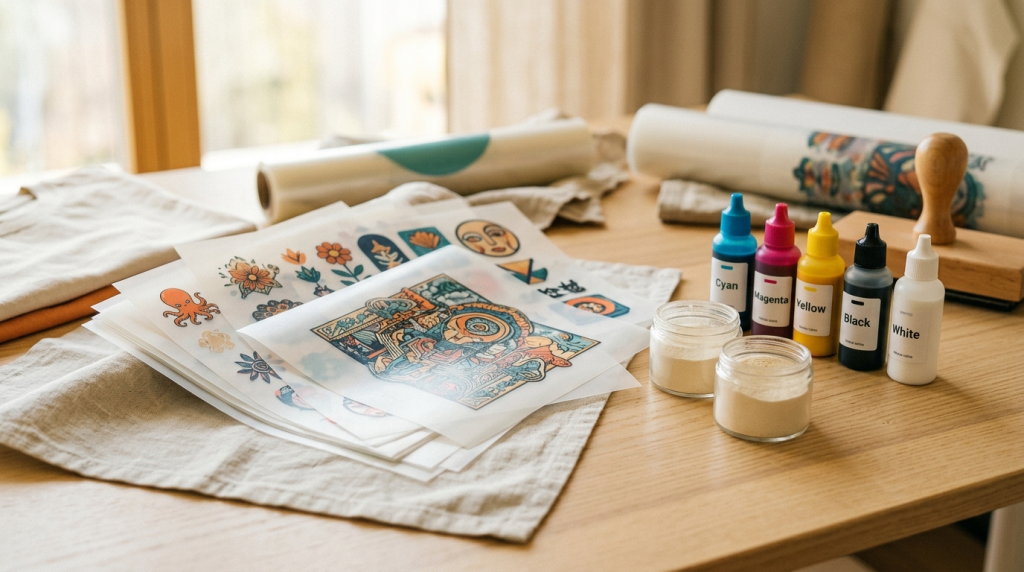
The three recurring consumables: CMYK + white ink set, TPU hot-melt adhesive powder, and PET transfer film rolls.
These are your true recurring costs — and they scale predictably. White ink is the most expensive and most temperamental of the bunch, which is why white ink management is a recurring theme in DTF ownership.
Maintenance & printhead care
Printhead replacements are the single biggest unexpected expense new DTF owners face. A replacement head runs $300–$800, and white ink is the main culprit behind premature failures.
White DTF ink contains titanium dioxide particles that settle and solidify when left idle. If your machine sits unused for even a few days without a circulation flush, those particles can begin to block the white channels permanently. The fix: run a short flush cycle — roughly 5 minutes — every day the machine isn't actively printing. Most professional-grade machines do this automatically; converted desktop units don't.
A working white ink circulation system is the single most important feature to look for when comparing professional-tier machines. It's the difference between a printhead that lasts 12+ months and one that clogs in six.
Cost-per-print & real margins
Here's where DTF becomes compelling. A full-front A3 print costs between $0.50 and $0.90 in raw materials — ink, powder, and film combined. That's the number that makes this technology attractive for custom apparel businesses.
For comparison: screen printing requires minimum order quantities and setup fees (screens, separations, color registration) that make it cost-ineffective for runs under 50 pieces. DTF has no setup costs and no minimum run size — a single custom shirt costs essentially the same per-print as a batch of 500.
For a brand doing consistent weekly orders, most buyers find they hit full equipment ROI within a few months. The math works — the question is whether you buy the right system the first time, or spend that margin replacing printheads on an undersized machine.
Frequently asked questions
Technically, yes — some people modify Epson L1800s or similar models. In practice, standard printers weren't designed for the density of white DTF ink, and their stock rollers struggle with the thickness of PET transfer film. The result is frequent clogs, feeding errors, and no automatic ink circulation. It works as a learning tool; it's not a business-grade production setup.
For short runs and multi-color designs, DTF wins decisively. Screen printing has zero setup cost advantage when you're printing under ~50 pieces — you're paying for screen production and color separations before a single shirt is printed. DTF has no per-job setup costs. At volume (500+ identical shirts), screen printing becomes competitive again.
For a production-capable setup: a professional A3 printer ($3,000–$5,000), RIP software ($400), an automatic powder shaker ($1,500–$2,000), a fume extractor ($300), and initial consumables ($400). All-in you're looking at roughly $5,500–$8,200 for a system you can actually run a business on. Cheaper entry points exist, but the maintenance costs often close the gap within the first year.
With proper daily maintenance (white ink flush, humidity control), a quality XP600 head typically lasts 12–18 months of regular commercial use. Neglect the white channels and that can drop to 3–4 months. The replacement cost ($300–$800) is the main argument for buying a machine with an automatic circulation system from the start.
Discussion
The separate circuit breaker tip is real — learned it the hard way when my oven tripped the breaker mid-print. Lost a whole roll of film. Cost me more than just the annoyance. Great write-up.
Wish someone had explained the white ink flush thing before I bought my first machine. I left it sitting over a week-long holiday and came back to two dead white channels. $450 head replacement. Now I set a phone reminder every morning.
On the RIP software question — I switched from CADlink to Maintop last year specifically for DTF and the white layer handling is much better. Worth mentioning that the "right" RIP often depends on what your printer manufacturer recommends.