How to Build a Lucrative
T-Shirt Business with DTF Printing
From your first print to your first paying customer — a practical, no-fluff guide to launching a profitable custom apparel business with Direct-to-Film technology in 2026.
projected in 2026
rate (CAGR 2025–31)
DTF prints on
vs. DTG printing
Have you ever turned away a customer asking for just 6 custom shirts — because screen printing's setup costs made small runs uneconomical? Or lost a job because DTG refused to cooperate with a polyester blend? In 2026, Direct-to-Film (DTF) printing solves both problems — and it's quickly becoming the preferred technology for new apparel businesses. This guide focuses on what's unique to DTF's business model: gang-sheet economics, first-customer marketing, and operational tips not covered elsewhere in our blog.
Why DTF Is the Smart Choice for New T-Shirt Ventures
If you've read our DTF vs. Screen Printing comparison or our beginner's guide to DTF, you already know the technology basics. Here's what those articles don't emphasise enough: DTF's real edge is economics at low quantities. Screen printing becomes cost-competitive only above ~300 pieces; DTF has no such minimum. That flexibility is transformative for a startup building its first client base.
Universal Fabric Compatibility
Cotton, polyester, nylon, canvas, denim, fleece, and blended activewear — DTF transfers adhere consistently across more than 16 fabric types with no pretreatment required.
Low Startup Cost
An entry-level dedicated DTF printer plus a curing oven is a fraction of a screen print setup. No films, screens, or squeegees — just your design, the film, and a heat press.
Full-Color, Wash-Durable Prints
Fine gradients, photo-quality detail, and crisp edges that screen printing can't match at small runs. Modern DTF prints are engineered not to crack, peel, or fade after dozens of washes.
True On-Demand Production
No minimum order. One-off personalised pieces or a 50-unit team uniform run — the cost-per-print stays predictable either way.
Choosing the Right Equipment: Building Your Foundation
The single most common beginner mistake is buying a cheap converted printer (often an Epson L1800 with a DIY DTF kit). As we explored in our dedicated comparison article, converted printers lack purpose-built white-ink circulation, suffer from inconsistent registration, and require far more hands-on maintenance — costs that quickly erode any upfront savings. Purpose-built machines pay for themselves in reduced downtime and consumable waste.
| Model | Best For | Key Specs | Capacity |
|---|---|---|---|
| Huedrift One Start Here | Home studios & beginners | A3, up to 2880 DPI, 6-channel head (CMYK + White×2), 3-in-1 white ink circulation | 100+ prints/day |
| Huedrift Pro | Growing semi-pro shops | A3, dual XP600 printheads, enhanced ink system, wider fabric compatibility | Higher throughput than One |
| Huedrift Pro Max | High-volume production | 13″ A3 (L1800-based), wide-format printing, robust continuous-production hardware | Large batch & commercial runs |
| Curing Oven | All setups | Temperature-compensated; melts hot-melt adhesive powder evenly across the film | Essential — not optional |
Understanding Your Costs & Pricing for Maximum ROI
Many operators are busy but not profitable because they ignore hidden per-print costs. The most powerful cost-reduction lever available to DTF businesses is the gang sheet — printing multiple customer designs on a single roll of film rather than one at a time.
* Costs vary by printer model, ink brand, film quality, and local labour. Gang-sheeting multiple orders onto one film strip significantly reduces the per-image film and ink figures above. This is an illustrative model — track your actual consumable costs from Day 1.
A realistic ROI timeline for a dedicated home-studio setup depends heavily on order volume and pricing strategy, but operators who focus on niche repeat clients (sports leagues, local restaurants, pet businesses) rather than one-off orders report reaching equipment breakeven significantly faster than those chasing the mass market. The key is consistent monthly volume, not individual order size.
Step-by-Step: Your First Successful Print
Colour Calibration — Load the Right ICC Profile
Before printing anything, ensure your RIP software has the correct ICC profile for your ink set and film brand. Without it, colours shift unpredictably — a "Tiffany Blue" can print as "Grass Green." Huedrift printers ship with compatible profiles; update them whenever you switch film or ink batches.
Apply & Shake Off Adhesive Powder
While ink is still wet, sprinkle hot-melt adhesive powder evenly across the print. Tap the film firmly on its back side to dislodge excess powder — especially at the edges. Leaving excess powder near design borders causes "ghosting": faint halos or dots visible after pressing.
Cure the Film
Pass the powdered film through your curing oven (or use a heat press hover pass) to melt and bond the adhesive. The powder should appear glossy and smooth — not grainy. Under-cured powder leads to poor adhesion; over-curing can discolour the ink.
Press — Temperature, Pressure & Time
Place the cured film print-side down on the garment. Standard DTF press parameters:
Adjust slightly depending on fabric thickness — heavier fabrics may need the upper end of the time range.
Cold-Peel & Second Press (The "Double Press" Method)
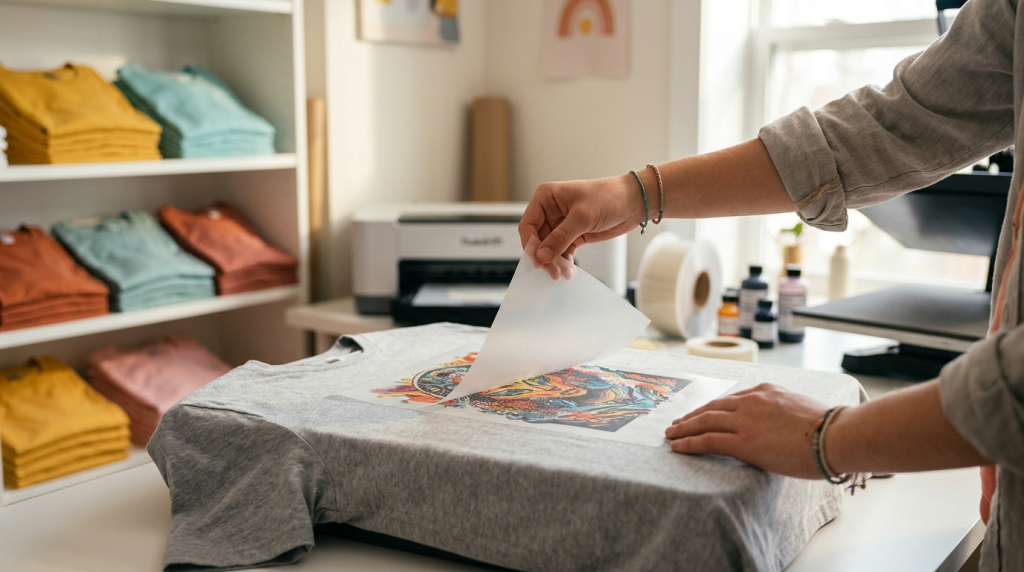
After pressing, allow the film to cool completely before peeling — this is cold-peel technique, which gives sharper edge definition than hot-peeling. Once the film is removed, place a sheet of parchment paper over the transfer and re-press for 5 seconds. This final press fuses the ink deeper into the fabric fibres and produces a noticeably softer, more durable hand feel.
Marketing Your DTF Business: Finding Your First Customers
The operators growing fastest in 2026 aren't waiting for customers to find them — they're going narrow and going first. A focused niche strategy outperforms broad "custom t-shirt printing" positioning every time.
The Peel Video
Film a slow-motion cold-peel on TikTok or Instagram Reels. The satisfying reveal of a crisp, clean DTF transfer is genuinely scroll-stopping. No production budget needed — just good lighting and a steady hand.
Niche-First Outreach
Instead of "custom t-shirt printing," pitch a specific audience: local youth baseball leagues, pet grooming salons, independent BBQ restaurants wanting branded aprons, or corporate wellness teams. Niche clients reorder; general clients shop around.
Free Samples for Anchors
Identify 3–5 local businesses with regular uniform or merchandise needs. Send them an unsolicited sample of their own logo on a quality tee. The physical product does the selling — a price quote alone rarely closes the deal.
Lead With Speed
DTF's no-minimum, no-setup advantage means you can offer 48-hour turnaround on small orders. Many local businesses have last-minute event needs that screen printers can't fill. Be the fast option.
FAQ — Starting a DTF Business
Ready to Print Your First Transfer?
Explore the Huedrift printer range — from the beginner-friendly One to the high-volume Pro Max — and find the setup that fits your production goals and budget.
Shop DTF Printers →