
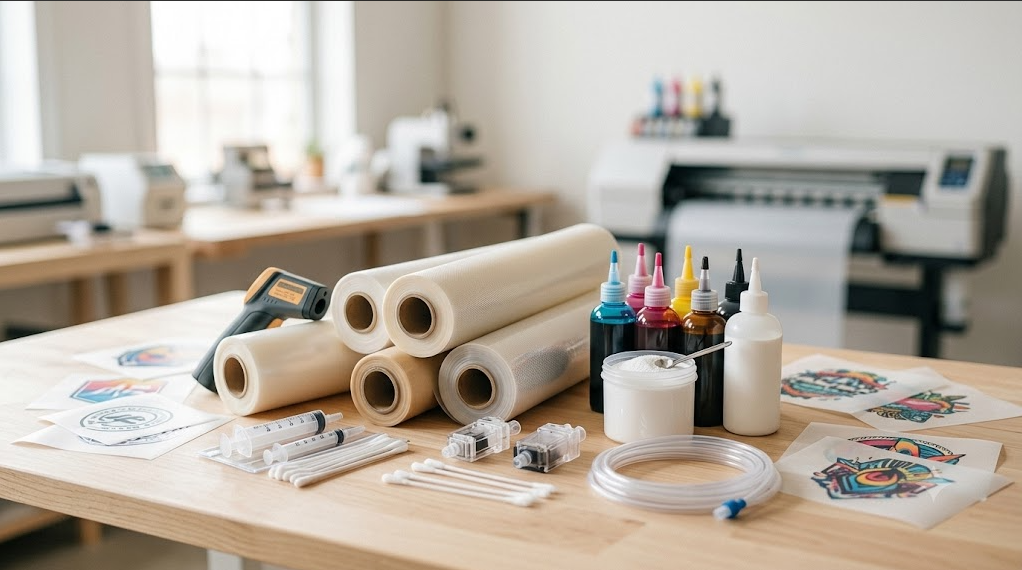
10 Must-Have DTF Accessories for Perfect Prints
Choosing the right DTF accessories matters just as much as choosing the printer. Even an advanced machine will stall without the right support gear, because the things that actually stop a DTF print line are small and preventable: a clogged printhead, settled white ink, a wiper that scratches instead of cleans.
Picture a familiar moment. A rush order lands in your inbox, you walk over to the printer, and the white channel is dead because the head dried out overnight. The fix is rarely the printer itself. It is the maintenance and consumable gear sitting around it. This guide walks through ten accessories that keep that scenario from happening, and explains what each one actually does.
Quick picks: top DTF add-ons
If you only buy three things first, start here. Each one targets the most common reason a DTF line goes down.
- Best for printer careProfessional printhead cleaning set. Keeps the most expensive part of your printer alive.
- Best for smooth ink flowAutomatic white ink circulation system. Stops titanium dioxide from settling between jobs.
- Best for accuracyQuality DTF film roll holders. Keeps film tracking straight on long continuous runs.
Why you should prioritize quality DTF accessories
Quality accessories exist to prevent two failures that cost you the most: unplanned downtime and settled white ink.
White ink is the fragile part of any DTF setup, and most of these accessories are built around protecting it and the printhead it flows through. Spending a little more on gear that is rated for dense, abrasive white ink saves you the much larger cost of a replacement printhead and a stack of ruined transfers. Cheaper generic parts tend to fail in exactly the spots where failure is most expensive.
DTF accessories for printhead care
Printhead care comes first because the printhead is the part most likely to fail and the most expensive to replace. Keeping it clean and sealed is what prevents white-ink blockages.
Professional printhead cleaning set
A good set contains concentrated cleaning solution, lint-free swabs, and syringes for flushing the head. When you push solution through the head with a syringe, use a slow, gentle motion. A widely used technician technique is to push slowly and pull back lightly rather than forcing fluid through, because too much pressure can rupture the head's internal filter or blow out a damper. The goal is to dissolve and carry away dried ink, not to power-wash the head.
Enhanced capping system with wipers
A capping station with a clean seal keeps the printhead moist while the printer sits idle, which is when white ink dries fastest. The wiper is the partner part, and it is easy to neglect. When you start seeing fine white lines or color smearing at the edges of a print, the usual culprit is a wiper blade that has hardened with dried ink and debris. Instead of wiping the nozzle plate clean, a crusted blade drags across it and scratches. Keep the wiper clean and replace it on schedule.
Good-quality dampers
Dampers regulate ink pressure between the lines and the printhead, and unstable pressure causes ink starvation and dropped nozzles. On white-ink channels they clog faster than on CMYK because of pigment buildup, so they are a wear part you replace on a cycle rather than wait to fail. Plan for replacement roughly every one to three months depending on how heavily you run white ink, and keep spares on hand so a clog never holds up a job.
DTF accessories for ink and film optimization
Once the printhead is protected, the next priority is controlling ink behavior and film path. Consistent ink and straight film are what separate a clean run from a batch of rejects.
Automated white ink circulation system
White ink is the hardest ink to keep usable. Its opacity comes from titanium dioxide, a pigment heavy enough that it begins sinking to the bottom of the line within hours of sitting still. A circulation system fixes this by continuously moving the ink: a pump recirculates it through the tubing from tank to head and back, and many systems add a motorized stirrer in the tank. That matters because shaking a cartridge by hand only mixes the cartridge itself. The sediment that actually clogs your head sits downstream in the lines, where only real circulation reaches it.
Professional DTF film roll holders
Roll holders solve the slipping and off-center tracking that shows up on long continuous runs. When film drifts sideways during a large job, you lose registration and waste film. A holder with proper tension keeps the roll feeding straight from the first transfer to the last, which is the difference between a clean batch and a re-print.
Anti-static brushes and mats
Static is a quiet quality killer, and it is most common in small, dry studios. When the film carries a static charge, hot-melt powder clings to the blank areas it should fall off of, and those stray grains show up as dirty specks across the garment after pressing. A high-density copper-wire anti-static brush mounted right above the feed slot bleeds off that charge before the powder station, so the shake-off comes away clean. An anti-static mat under the work area does the same job for the operator's side of the process.
Accessories for post-printing and curing
Printing is only half the job. Curing decides whether the transfer survives the wash, so the gear here is what protects your durability and your finish.
Non-contact infrared thermometer
An infrared temperature gun lets you read the real surface temperature of your oven or press, which is often not what the built-in display claims. Built-in readouts can be off by a noticeable margin, so verifying the actual surface heat is the only reliable check. Curing temperature itself depends on your powder, so treat any single number as a starting point rather than a rule. The dependable signal is visual: properly cured powder turns smooth and glossy with a slight orange-peel texture, with no dry, grainy residue left. When you see that finish, the cure is right, whatever the dial says.
Silicone release sheets
Release sheets protect a printed transfer from damage during a second press and let you set the final look. Depending on the sheet, you can give the garment a clean matte or glossy finish. They are cheap insurance against scorching a design you already paid to print.
Powder shaker filters
A shaker filter spreads hot-melt powder evenly across the film and keeps loose powder from drifting into the air of your workshop. Even coverage means consistent adhesion, and containing the dust keeps both your prints and your workspace cleaner.
Heavy-duty gloves and a respirator mask
Curing equipment runs hot and melting powder gives off fumes, so basic protection is not optional. Heat-resistant gloves guard against burns at the oven and press, and a proper mask protects you from inhaling fumes released as the powder melts. Treat these as standard equipment, not an afterthought.
Maintenance quick reference
Here is a starting schedule for the wear parts above. Adjust it to your own volume, and always defer to your printer and powder manufacturer's specs.
| Component | Typical interval | Why it matters |
|---|---|---|
| Dampers | Every 1 to 3 months | Clog faster on white channels and cause pressure dropouts |
| Capping station | Every 3 to 6 months | A worn seal lets the head dry out while idle |
| Wiper blade | Clean daily, replace when hardened | A crusted blade scratches the nozzle plate |
| White ink circulation | Run daily, even when not printing | Titanium dioxide settles within hours when still |
| Printhead flush | As needed, plus before long idle periods | Dried white ink is the most common blockage |
Choosing the right accessories for your printer
Match your accessory choices to your production volume, and confirm compatibility with your specific printer model before buying.
A small studio running a few transfers a day has different needs than a shop pushing continuous rolls, so do not over-buy or under-buy. Generic, off-the-shelf parts often will not hold up to dense white ink, so it is worth checking our DTF parts and accessories selection to confirm a part is rated for your machine before you order.
Frequently asked questions
How often should DTF dampers and capping stations be replaced?
On average, dampers need replacing every one to three months and capping stations last around three to six months. Both depend on how many prints you run per day and how much white ink passes through, so heavy users should expect the shorter end of those ranges.
Can I install generic printer accessories on a DTF printer?
It is not recommended. DTF white ink is dense and abrasive because of its titanium dioxide content, and standard eco-solvent or water-based parts wear out quickly against it. Parts built specifically for DTF white ink last far longer and protect the printhead better.
Why does white ink need more maintenance than CMYK?
White ink carries a large amount of titanium dioxide, a heavy pigment that settles quickly. CMYK pigments stay suspended for days, but white ink can start separating within hours when idle. That is why a circulation system plus daily cleaning is essential specifically for the white channel.