
Can Any Printer Do DTF?
The short answer is no — but understanding why will save you money, time, and a ruined printhead. Here's everything you need to know before investing in a DTF setup.
What is DTF printing, and how does it work?
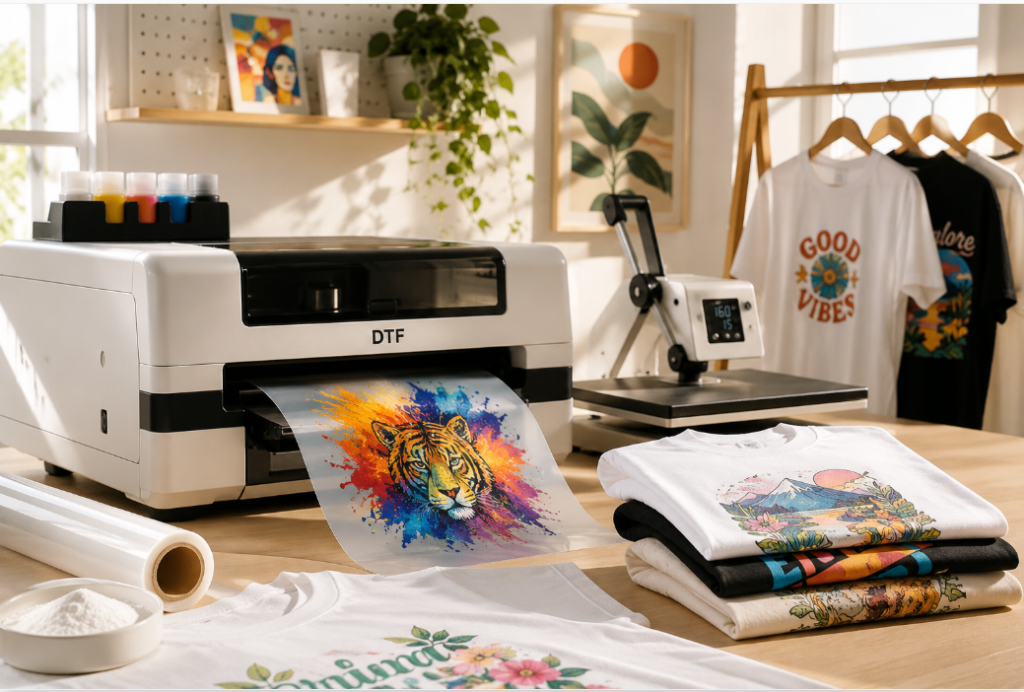
Direct to Film (DTF) printing transfers full-color designs onto fabric through a three-step process: print the design onto a special PET film, coat it with hot-melt adhesive powder, then heat-press it directly onto the garment. That's it.
What makes DTF stand out is versatility. Unlike DTG (Direct to Garment), which struggles with synthetic fibers, or screen printing, which requires a separate setup for every color, DTF works on cotton, polyester, nylon, denim — almost any fabric type. The transfers are also durable, with a soft feel and excellent wash resistance when done correctly.
DTF became the go-to for our full-color orders. When demand spiked one winter, it was the one process we could scale without rebuilding our entire workflow. The fabric compatibility alone makes it worth the learning curve.
Can you convert a regular printer for DTF?
It's one of the most common questions we get, and the honest answer is: please don't try. A standard inkjet printer — even a decent one — will fail quickly when used with DTF materials, and the damage is usually permanent.
Swapping standard ink cartridges for DTF pigment ink in a home or office inkjet printer will clog the printhead within hours. DTF pigment ink is thicker, contains titanium dioxide (for white), and is chemically incompatible with consumer-grade ink delivery systems.
Two specific reasons it fails
- Ink viscosity: DTF pigment inks are significantly thicker than standard dye or even pigment inks. They require a pump and delivery system built to handle that viscosity without seizing.
- Film handling: DTF PET film is slick and dimensionally unstable compared to regular paper. Home printer rollers aren't designed to grip it consistently, which causes misfeeds, banding, and skewed prints.
Beyond those two issues, white ink — which is essential for printing on dark garments — contains titanium dioxide particles that settle and clump quickly. Consumer printers have no mechanism to keep it in suspension.
| Feature | Home inkjet | Dedicated DTF printer |
|---|---|---|
| DTF pigment ink compatible | No | Yes |
| White ink circulation | No | Built in |
| PET film media handling | No | Yes |
| RIP software support | No | Included or compatible |
| Expected lifespan in DTF use | Hours to days | Years with maintenance |
Why dedicated DTF printers are essential
A proper DTF printer isn't just a regular printer with different ink. It's a purpose-built system with several components working together.
White ink recirculation
This is the feature that makes or breaks a DTF setup. White pigment (titanium dioxide) is heavy and settles fast — even overnight. A dedicated DTF machine continuously circulates white ink through the system, preventing the clogs that would otherwise destroy your printhead within days. Without this, white ink printing is simply not viable at any production volume.
Temperature-controlled environment
Your print room matters more than most people realize. The industry standard recommendation is to keep your space between 20°C and 25°C (68–77°F). Below that range, ink viscosity increases and nozzles start dropping out. Above it, the adhesive powder can clump and the film may warp mid-print pass.
A cheap digital thermometer/hygrometer near your printer pays for itself quickly. Aim for 40–60% relative humidity alongside the temperature range — too dry causes static and brittle film, too humid causes powder clumping.
RIP software
RIP (Raster Image Processor) software controls how your printer handles white ink density and color layers. Without it, you're relying on standard driver settings that weren't designed for this — the result is typically flat, washed-out colors on dark fabrics. Every serious DTF setup uses RIP software to manage ink channels, underbase opacity, and color profiles.
Key features to look for in a DTF printer
When you're ready to buy, look past the marketing and focus on the actual components.
For small text and fine detail work, printhead precision matters significantly. The Epson i1600-A1 is currently the benchmark for A3-width production machines — it sits between the entry-level XP600 and the higher-end i3200 in both price and performance, making it the practical choice for most shops scaling past hobby production.
Evaluating your setup based on volume
The right DTF setup depends entirely on how many pieces you're producing. Here's a simple framework:
- Hobbyist / under 10 pieces/day: A compact A3 desktop DTF printer with manual powder application works well and fits a standard desk. Focus on a reliable printhead and good ink quality over throughput.
- Small shop / 20–50 pieces/day: This is where an integrated shaker-dryer unit becomes important. It removes a manual bottleneck and keeps quality consistent across long runs. Budget for roughly 2 meters of table space for printer plus dryer unit.
- Production shop / 50+ pieces/day: Prioritize machines with robust software support, dual-head configurations, and a supplier who provides genuine after-sales technical help. Downtime at this volume is expensive.
If you're just starting out, don't over-invest. A well-maintained entry-level dedicated DTF printer will outperform a converted home printer every single time. Master your process at small scale first, then upgrade the hardware.