
DTF Printing Guide · Equipment
The Real Upgrade: Dual Print Head DTF Printers & How They Double Your Output
If orders are stacking up faster than your single-head printer can clear them, upgrading to a dual print head setup isn't just tempting — it's the clearest path to real production efficiency.
Why Dual Print Heads Make a Real Difference
If you've watched your heat transfer station sit idle while the printer finishes its pass, you already understand the core problem. A single-head DTF printer creates a natural bottleneck: it applies layers sequentially, and every second it spends traversing blank areas is a second your operation isn't billing.
The jump from single to dual print heads isn't a spec-sheet upgrade — it translates directly into physical hours recovered. Operators moving from single-head machines to dual-head setups consistently report cutting job completion time by 40–60% on high-volume runs. A job that consumed three hours at a fulfilment operation in Lyon's Confluence district in early 2026 dropped to just over one hour after the switch — a figure that aligned with the theoretical throughput gain the dual-head architecture delivers.
How Dual Print Head Technology Actually Works
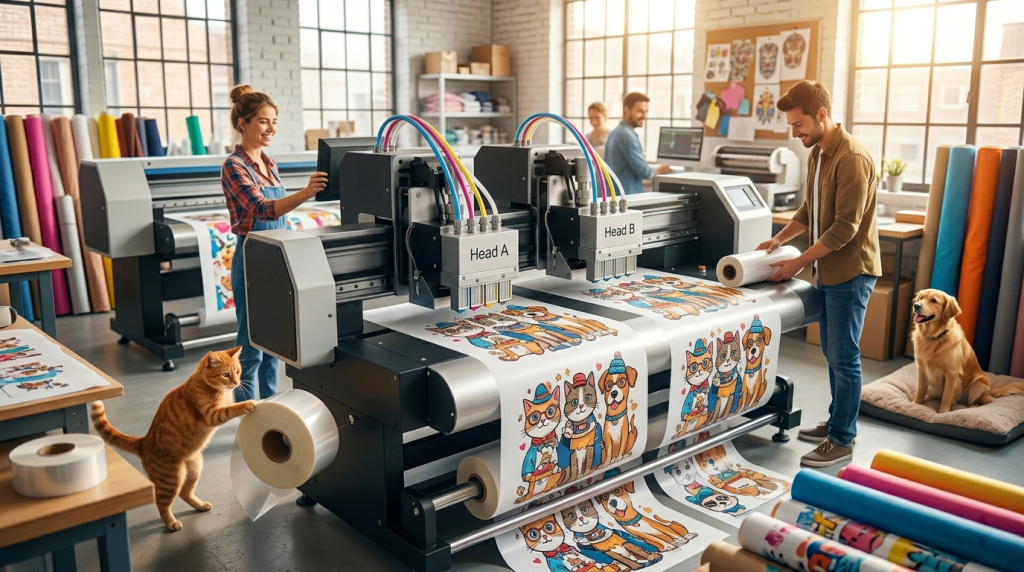
Here's the part that often gets described incorrectly online: dual heads aren't simply two copies of the same head running the same task. In a properly configured DTF dual-head setup, the two heads perform distinct, complementary roles in a single synchronized pass:
Head A — CMYK Color
Handles all full-colour channel printing: cyan, magenta, yellow, and black. This is your design layer.
Head B — White Ink Base
Lays down the white underbase simultaneously, ensuring opacity on dark fabrics without requiring a separate pass.
The result: both layers land in tight, synchronized coordination. Your single-head machine had to make at least two passes — first white, then colour — and wait for registration alignment in between. Dual heads eliminate that wait entirely. This is why the throughput gain is real and measurable, not a marketing approximation.
Common misconception: Some sources describe one head as "performing colour calibration" while the other prints. That's not accurate. Both heads are printing ink — just different ink channels — in coordinated, near-simultaneous passes. Calibration is a separate, pre-production step performed in your RIP software.
Core Advantages of Dual Print Head DTF
Parallel Output Efficiency
The most immediate benefit is throughput. Because colour and white layers are applied in a single coordinated pass, you effectively halve the number of passes required per sheet. For an operation running 8-hour production days, that translates to roughly double the finished transfer volume for the same labour hours.
Superior White Ink Performance on Dark Garments
With a dedicated white ink head, you get higher and more consistent white ink density without the film over-saturation risk that occurs when a single head is forced to cycle between white and colour channels. The result is noticeably better opacity on black, navy, and dark polyester — the fabrics where DTF earns its keep most strongly.
We were running a 60cm single-head machine and hitting a ceiling around 200 transfers per shift. After switching to a dual-head i3200 setup, we cleared 380 in the same hours — and our white layer quality on black hoodies improved enough that we stopped fielding customer complaints about patchy opacity.
— David, custom apparel printer, Brisbane QLDBetter Registration and Reduced Banding
Separate, dedicated ink channels eliminate the cross-contamination risk that can cause banding in single-head configurations cycling through all channels. When white and colour are handled by separate heads with their own capping and ink delivery systems, you get cleaner gradients, sharper edges, and more consistent output run to run.
White Ink Anti-Clogging Systems
White ink pigment settles faster than CMYK inks — this is the number-one lifespan killer for any DTF print head. Most quality dual-head machines include an independent white ink recirculation system that circulates the ink through the head channels on a timed cycle. Setting this to activate every 3–4 hours during idle periods significantly reduces the risk of pigment settling and nozzle blockage. This applies to both single and dual-head machines, but the dedicated white channel in a dual-head setup makes the recirculation loop more efficient and reliable.
3 Key Factors Before You Buy
1. Print Head Model and Expected Lifespan
The three Epson heads you'll encounter most often in the mid-range DTF market are the XP600/F1080, the i1600-A1, and the i3200-A1. They serve meaningfully different use cases:
| Print Head | Nozzles | Resolution | Typical Lifespan (Daily DTF) | Best For |
|---|---|---|---|---|
| XP600 / F1080 | 1,080 | 360 dpi | 3–9 months | Entry-level, low-volume |
| Epson i1600-A1 | 1,600 | 600 dpi | 4–6 months (intensive); up to 18 months (moderate) | Small–medium shops, balance of cost and quality |
| Epson i3200-A1 | 3,200 | 600 dpi | 1–3 years | Commercial / high-volume operations |
On the i1600-A1: Under intensive daily production, realistic lifespan is 4–6 months — not the "thousands of hours" sometimes claimed in marketing materials. White ink pigment settling is the primary lifespan limiter, not mechanical wear. If you're running 8-hour shifts, budget for head replacement at that cadence, or move to the i3200-A1 for longer intervals between replacements.
2. RIP Software and Channel Flexibility
Your RIP (Raster Image Processor) software is what orchestrates ink delivery across both heads. A good RIP does more than layout — it controls white ink density curves, handles colour profiles, and manages channel assignment. The practical feature to look for: the ability to switch to single-head mode for simple monochrome jobs, which conserves ink and reduces unnecessary wear on both heads when running lightweight orders.
Pro tip: When arranging designs in your RIP, align similar patterns in a matrix grid. This minimises "dead moves" — the carriage traversing blank film areas — and keeps both heads working at maximum coverage per pass. When your layout rhythm matches your curing oven's throughput, you move from a printing operation to a continuous production line.
3. Power Stability
Dual-head printers draw more power and are more sensitive to voltage fluctuation than single-head machines. A sudden power cut mid-print doesn't just ruin the job — it can cause ink to dry inside the head nozzles before the capping system engages, which accelerates clogging and shortens head life significantly. A quality UPS (Uninterruptible Power Supply) rated for your machine's draw is not optional — treat it as part of the machine cost when budgeting.
Workflow Optimization: Getting the Most from Dual Heads
Hardware is only half the equation. The shops that see the biggest gains from dual-head upgrades are those that rethink their layout and scheduling workflow at the same time as the hardware change.
- Batch by design complexity: Group high-coverage, full-colour jobs together so both heads run near-full utilisation. Reserve lighter single-colour runs for off-peak periods or single-head mode.
- Match curing oven throughput to print speed: A dual-head machine can outrun an under-specced oven quickly, creating a new bottleneck downstream. Verify your oven's sheet-per-hour capacity before assuming the printer is your ceiling.
- Daily nozzle check before production: Run a nozzle test pattern as the first thing each shift. Catching a partial blockage early takes two minutes; letting it run into a production batch costs film, ink, and time.
- Humidity management: DTF print heads are sensitive to ambient humidity. Maintaining 45–65% relative humidity significantly extends nozzle health, regardless of head model.