
DTF Printer for Beginners: Your Complete 2026 Setup Guide
Just picked up your first DTF printer? This guide walks you through the full process, the gear that actually matters, the maintenance habits worth building, and the pitfalls most beginners hit in the first few weeks.
Understanding the DTF Printing Process
DTF (Direct to Film) has held its ground for good reason: it works on almost anything. Cotton, polyester, nylon, denim, even leather. If you've been frustrated by sublimation's polyester-only limitation, DTF is a genuine step forward. The trade-off is a slightly more involved process, so it's worth understanding each stage before you touch a single setting.
Your design is printed onto transparent PET film. Color layers are applied first, then a white ink underbase is printed on top — this is what makes DTF opaque on dark fabrics.
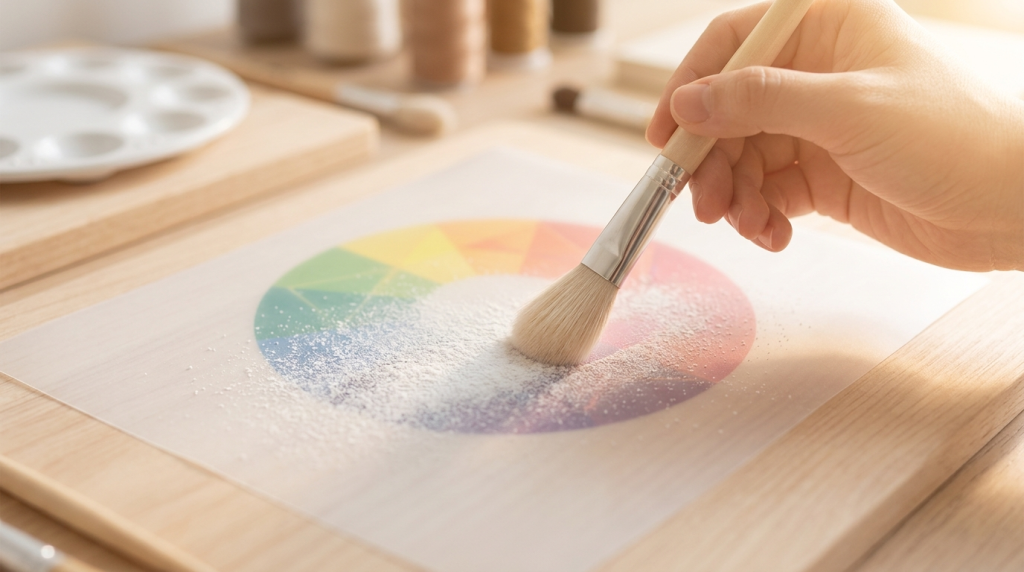
Hot-melt adhesive powder is applied over the wet ink. Even coverage here is critical — too heavy and the transfer looks thick; too light and it won't bond properly.
The film passes through a curing oven (or sits under a heat gun) to melt the powder into a continuous adhesive layer. The temperature window matters more than most beginners expect.
The cured film is pressed onto the garment at around 160°C for 10–15 seconds, the film peels off, and the design stays behind.
If your finished transfers have a grainy or bumpy texture, powder application is usually the culprit — either applied too thick, or the curing temperature was slightly off. Both are fixable with small adjustments; don't change two variables at once or you won't know which one did it.
Essential Equipment Checklist
You don't need to spend maximum budget on day one. Spend where it genuinely affects output quality; save where it doesn't.
Look for machines with an Epson i1600 or i3200 printhead. These are the dominant heads in the 2026 market for a reason: finer dot placement, better gradient rendering, and more durable than older heads.
An all-in-one powder shaker and oven combo is worth the investment if volume is your goal. For low-volume work, a standalone oven works — just watch your temperature calibration closely.
Even pressure matters. A machine with a digital pressure display takes the guesswork out of consistency — especially important when you're running different fabric weights on the same day.
Don't mix ink brands. Different ink formulations can react inside the print lines and create clogs that are expensive to fix. Pick a supplier and stay with them.
Software setup is straightforward once you follow one principle: load your ICC color profile before you touch any other setting. Your print software and your printer need to agree on how colors are mapped. Skip this step and your reds will never look like your reds.
Routine Maintenance: Keeping Your Printer Running
Most beginner questions about DTF come down to printhead clogs. The good news is they're almost entirely preventable with consistent habits. The bad news is that once you skip a few days, recovery gets expensive.
-
1Printhead Hydration
Before you leave the studio each night, place a sponge lightly dampened with cleaning solution under the printhead. This keeps the nozzles from drying out overnight — a small habit that prevents most emergency maintenance calls.
-
2Humidity Control
Keep your workspace between 45% and 60% relative humidity. Dry air causes ink to crystallize at the nozzle edge faster than you'd expect. A basic digital hygrometer costs almost nothing and removes all the guesswork.
-
3Print Regularly
Run a test page every two days, even when you have no orders. Regular ink movement through the head is more effective at preventing clogs than any automated cleaning program — because cleaning programs use ink without actually moving it the same way a real print does.
A Real First-Year Experience
It's worth being honest about what year one actually looks like for most people.
I remember one afternoon in our test studio when I knocked over the powder container. It went everywhere — surfaces, the floor, my clothes. I thought it was going to ruin the entire session. It didn't, but cleaning it up took the rest of the afternoon. I learned two things that day: powder is much finer and travels further than you think, and keeping your workflow area clear of anything you don't need for that step is not optional. The manual mentions ventilation; what it doesn't tell you is why you'll be grateful for it the first time something goes wrong.
We worked with one customer — Marcus, running a small custom merch operation in his garage — who upgraded to an i1600-head machine after about six months on an older unit. The color block quality on gradients did improve noticeably. But he also spent three weeks dialing in his new RIP settings, and there was a period where his output actually looked worse before it looked better. The machine upgrade wasn't a magic fix; it just raised the ceiling of what was possible once everything was tuned properly.
That's a pretty common pattern. Better equipment helps, but the process knowledge underneath it matters more in the first year.
Frequently Asked Questions
Run into an error code?
Our technical reference covers common DTF printer errors, RIP software setup, and calibration guides for the most widely used desktop machines.
Browse the Technical Manual →